Features
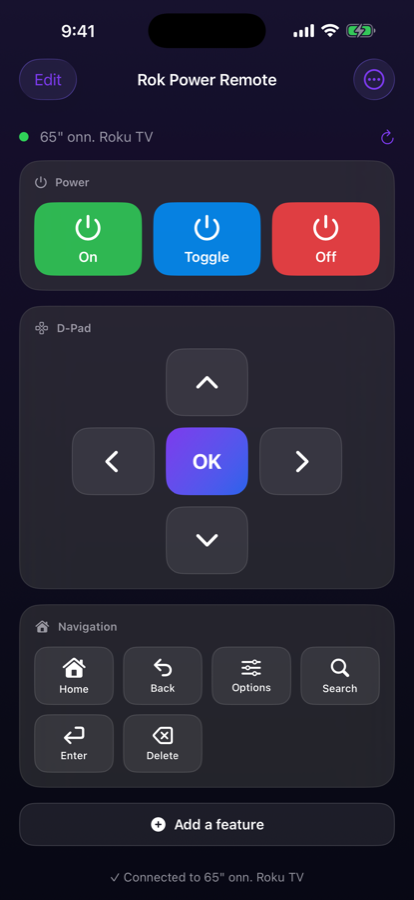
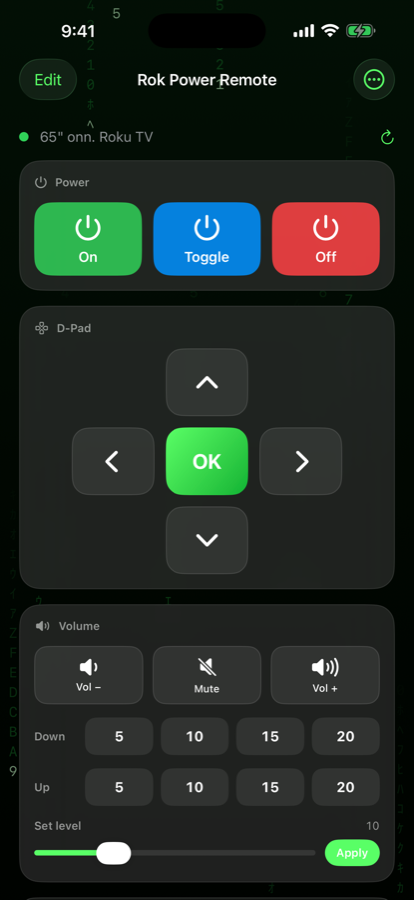
Rok Power Remote starts as simply as a remote can: On, Off, and a D-pad. Every other control is a panel you add when you want it — and drag exactly where you want it. What you never use never clutters the screen.
📺 It finds your TV by itself
- Open the app. There's no "tap scan to begin" — it connects on launch, and again every time you come back to it.
- Changed IP? Doesn't matter. If your router hands the TV a new address, the app matches your TV by its hardware ID and reconnects anyway.
- TV asleep? The On button sends a wake-on-LAN packet, retries, then rediscovers the TV once it rejoins Wi-Fi.
- Discovery blocked? Type the Roku's IP address in by hand and it's remembered.
Build the remote you want
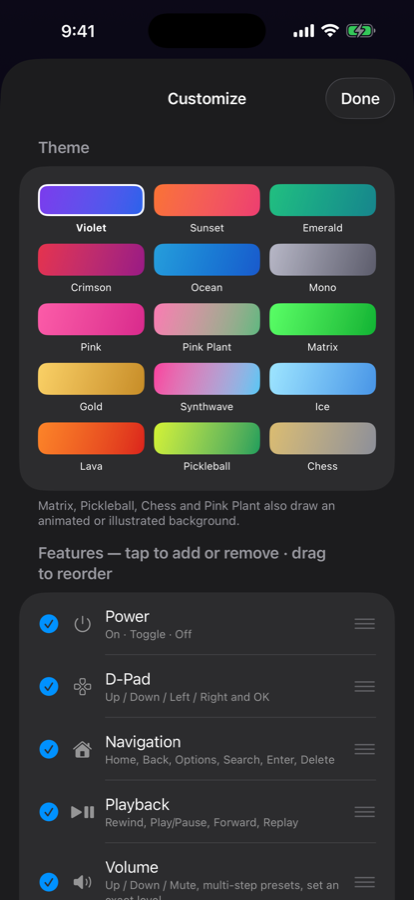
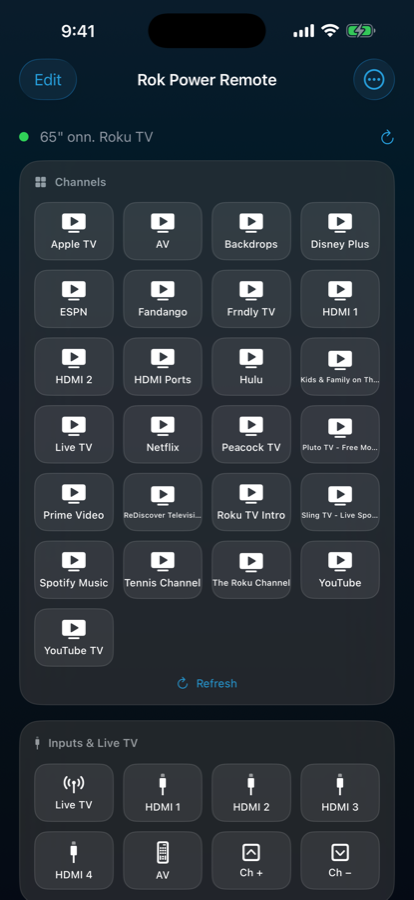
- 14 panels: Power, D-Pad, Navigation, Playback, Volume, Screen, Emergency, Inputs & Live TV, Channels, Keyboard, Message on TV, Macros, My Buttons, History
- Add or remove any panel, and drag them into the order you like
- My Buttons — your own grid, holding any key, any macro, or any channel
- 15 themes, including an animated Matrix background
What it does
- Power on, off, or toggle — with a real wake sequence behind the On button
- Volume by single steps, by 5/10/15/20 presses, or set to an exact level
- HDMI 1–4, AV, the tuner, and channel up/down on Roku TVs
- Launch any channel installed on the TV
- Type onto the TV with your phone keyboard, and re-send anything you typed before
- Put a message on the TV screen — typed out, word by word, scrolling, or looping
- Record a macro (Home, Right, Right, OK) and replay it with one tap
- Blackout: pause, mute, and screen off in a single tap
- Emergency pause and mute, undone by tapping again
Screenshots
Free, and one optional purchase
Power, D-Pad, Navigation, Playback, Volume, Inputs & Live TV, History and four themes are free — no ads, no account, no tracking. One optional $4.99 purchase unlocks Channels, Keyboard, Message on TV, Macros, My Buttons, Screen and Emergency, plus all 15 themes. It's a one-time purchase, not a subscription, and it restores on your other devices.
What you need
- iOS 16+ / iPadOS 16+ / macOS 13+ (Mac Catalyst)
- Your device and your Roku on the same Wi-Fi network — the app talks straight to the TV and sends nothing to any server
- To power a TV on from a full power-off, turn on Fast TV Start in the Roku's own settings (Settings → System → Power). Without it the TV leaves the network entirely when off, and no app — including Roku's own — can wake it.
- Volume, HDMI inputs and the tuner are features of Roku TVs and some Roku audio devices; streaming sticks and boxes don't have them.
Privacy
Rok Power Remote does not collect, store, transmit, or share any personal data. Read the privacy policy.
Support
Questions or feedback? Email support@kinsman.cc.
Not affiliated with, endorsed by, or sponsored by Roku, Inc.
Get it Now
Free — with an optional $4.99 one-time unlock. No ads, no subscriptions, no tracking.