Features
USB Keyboard Modifier Remap lets you fix a misbehaving USB keyboard in seconds. Got a board where the middle key acts as Command, or Alt and Command are swapped from what's printed? Remap them — for that keyboard only, leaving your Mac's built-in keyboard exactly as it is.
Per-Device Remapping
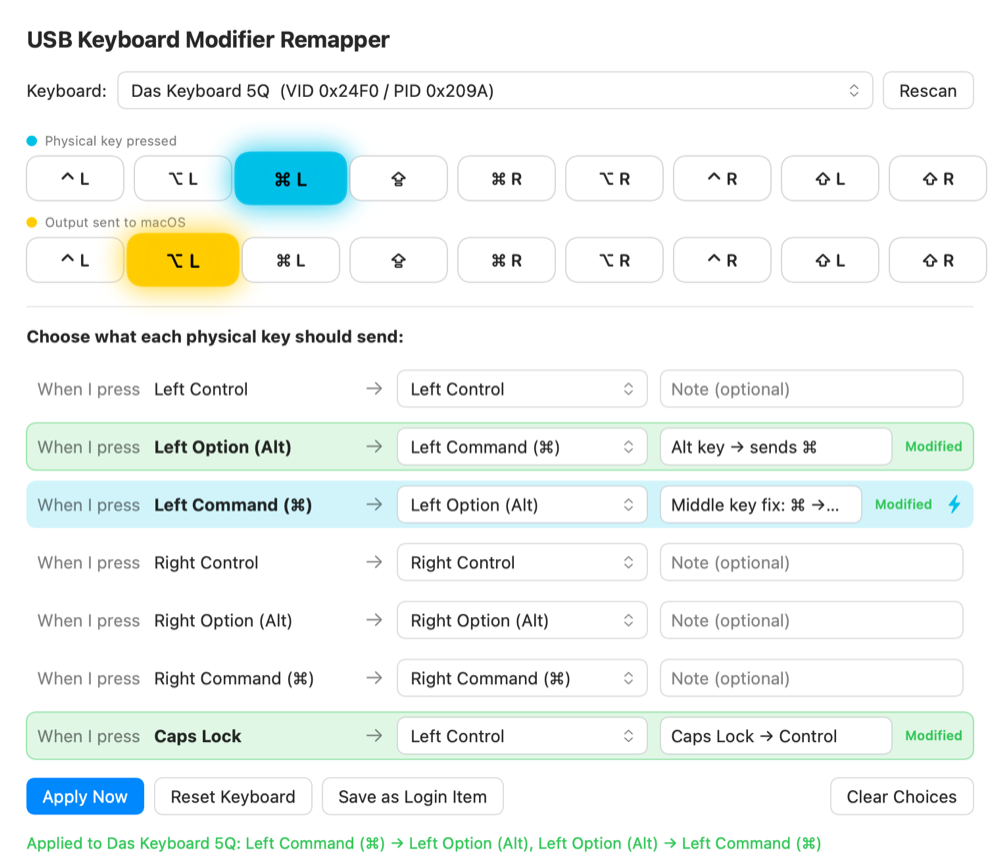
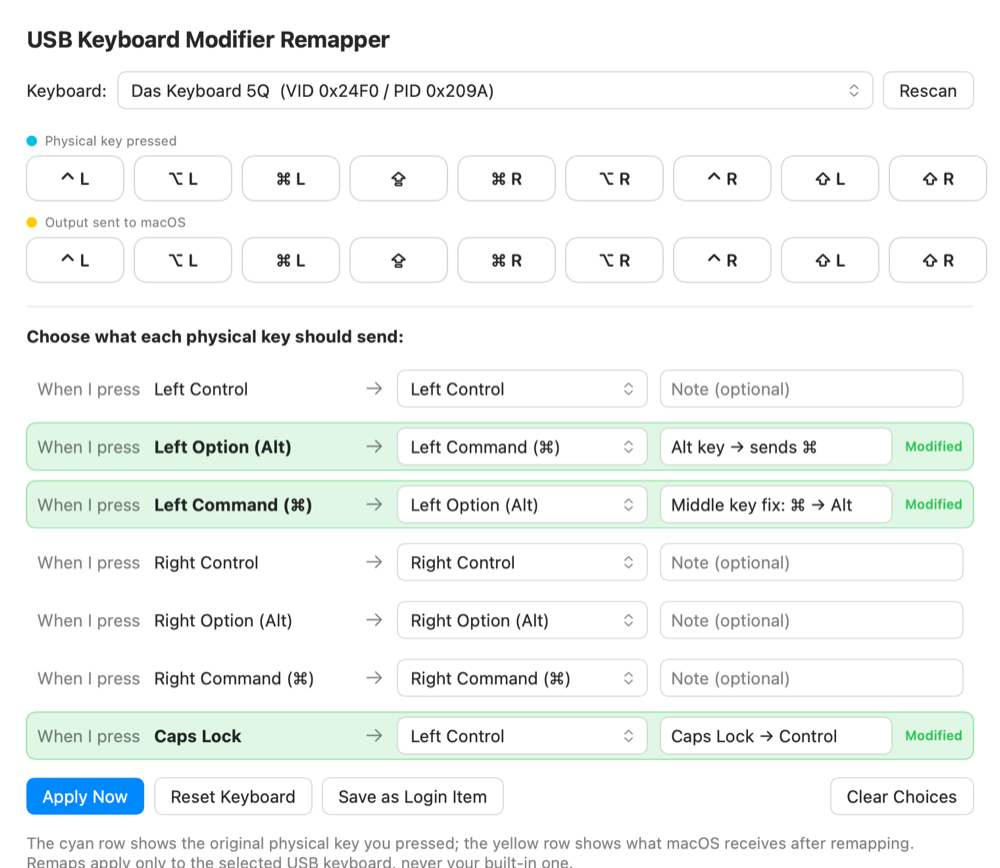
- Targets one keyboard — Matched by USB Vendor/Product ID, so the remap applies only to the keyboard you choose.
- Built-in keyboard is safe — Your Mac's laptop keyboard is never affected.
- Any modifier — Remap Control, Option (Alt), Command, Shift, and Caps Lock, with independent left and right keys.
Live Key Preview
- See it light up — Press a modifier and watch it glow on screen.
- Original vs. output — A cyan row shows the original physical key you pressed; a yellow row shows what macOS actually receives after remapping.
- Instant confirmation — Verify your remap is working without opening another app.
Notes & Persistence
- Per-mapping notes — Jot down why you made each change; notes are remembered per keyboard.
- Apply temporarily — Test a mapping that resets on unplug or reboot.
- Save as a login item — Make your remaps stick automatically at every login.
Clean & Native
- No kernel extension and no sudo — Built on Apple's
hidutil. - No Input Monitoring permission needed to apply remaps.
- Tiny & fast — A focused single-window utility.
System Requirements
- macOS 13 (Ventura) or later
- Apple Silicon or Intel Mac
- A USB keyboard
Get it Now
Available for macOS for $3.99.
Purchase & DownloadRequires macOS 13 Ventura or later. One-time purchase, direct download.